
Manager assistant · Beta
Lumi answers the manager, then waits for your OK
Lumi is the manager assistant inside the TES learning system, and it is in beta. Ask about the groups you manage. Lumi shows the sources it checked, and it does not write a record until you press the button.
Book a demoDo not send protected health information through this page or the form below.
Ask who is overdue, and on what
A manager can ask who is overdue right now. In the demo, Lumi answers with the people who are overdue on pathway requirements, names the oldest item for each, and says how many sources it checked. It can offer to remind those people or open one person's list. Nothing is sent until you confirm it.
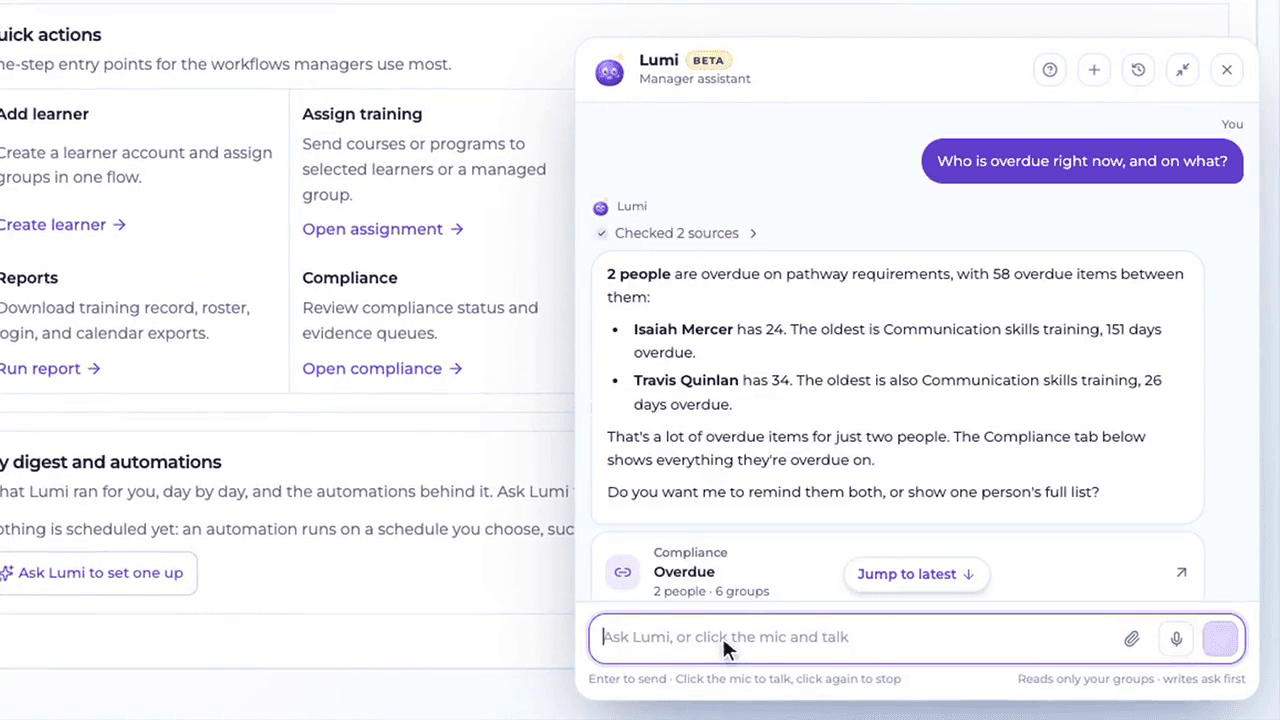
Watch a two-minute demo
The recording has no audio. Press play to see the question, the confirm card, and the overdue digest. It is the same fictional organization as the screenshots.
Ask Lumi to do the work
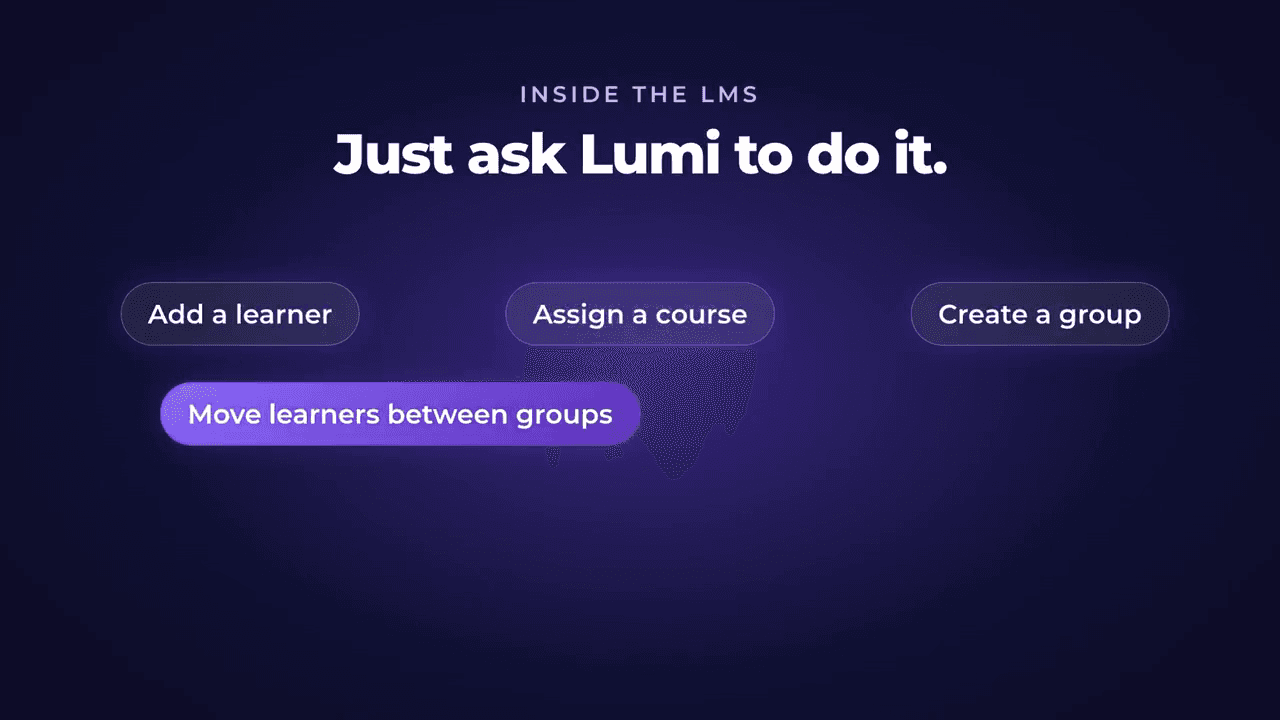
From inside the learning system, a manager can ask Lumi to:
- Add a learner
- Assign a course
- Create a group
- Move learners between groups
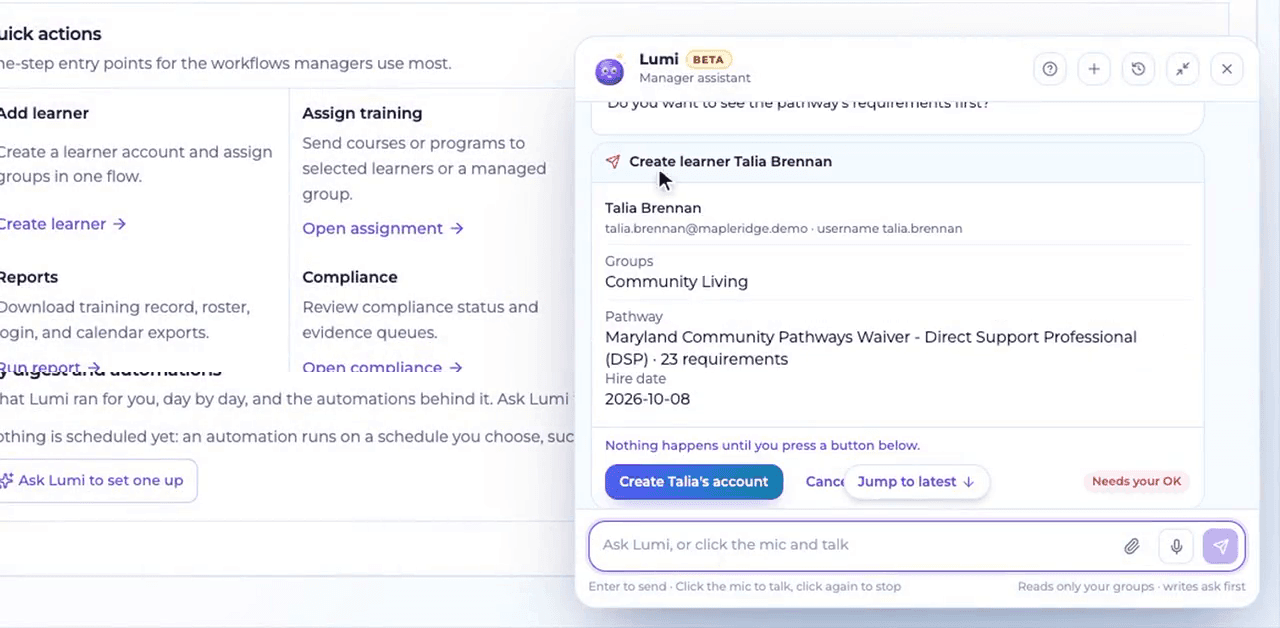
Nothing happens until you press the button
Before Lumi creates an account, it shows a card: the person's name, email, and username, the group, the pathway that would be assigned, and the hire date. The card says nothing happens until you press the button. You can cancel. Lumi reads only your groups, and it waits for your OK before it writes.
You can type, or click the microphone and talk. Click it again to stop.
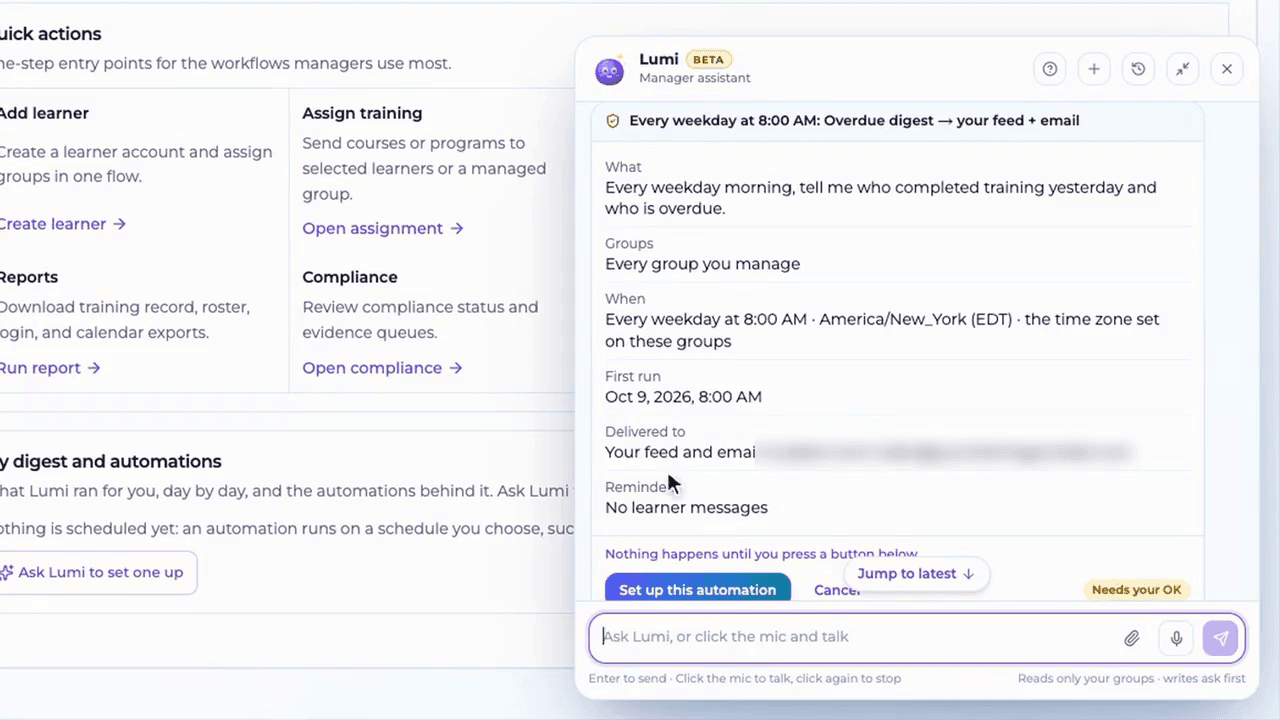
A weekday digest, after you confirm it
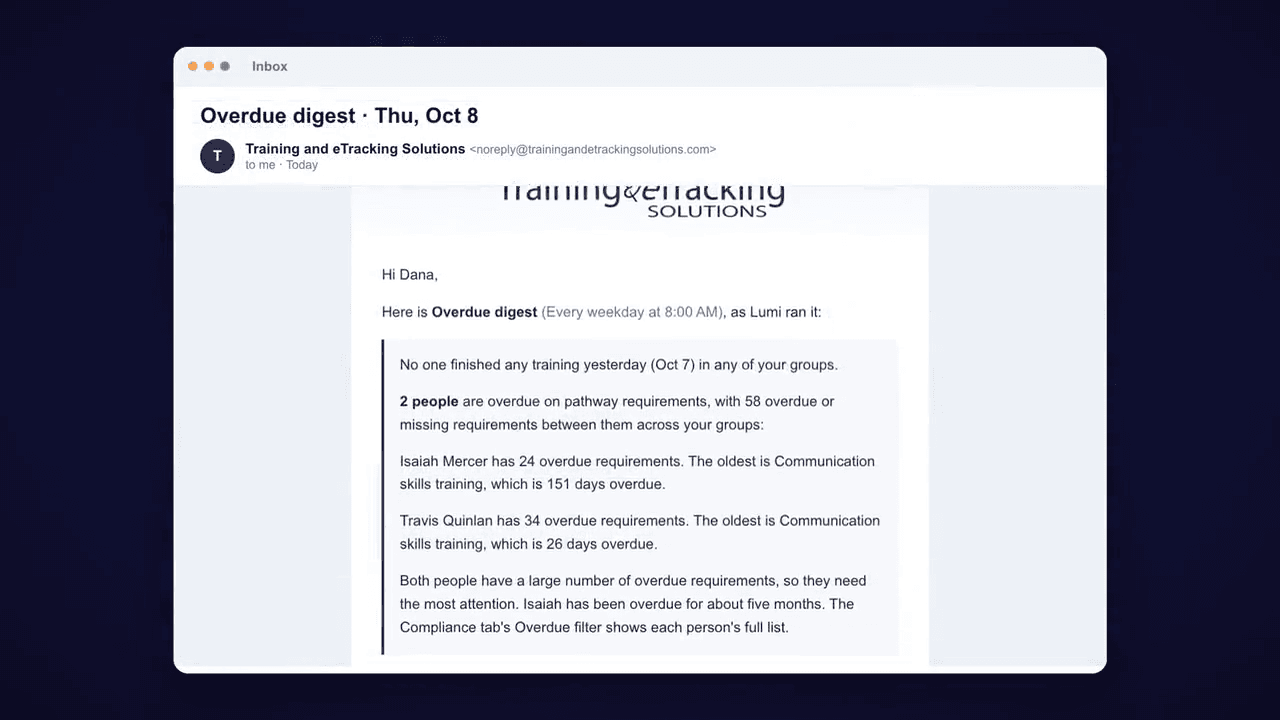
A manager can ask for a recurring note. In the demo, the request is: every weekday morning, say who completed training yesterday and who is overdue, for every group that manager runs. Lumi shows the schedule in the time zone set on those groups, the first run, and where it will be delivered: the manager's feed and email. The demo leaves learner messages off. The automation is not saved until you press the button.
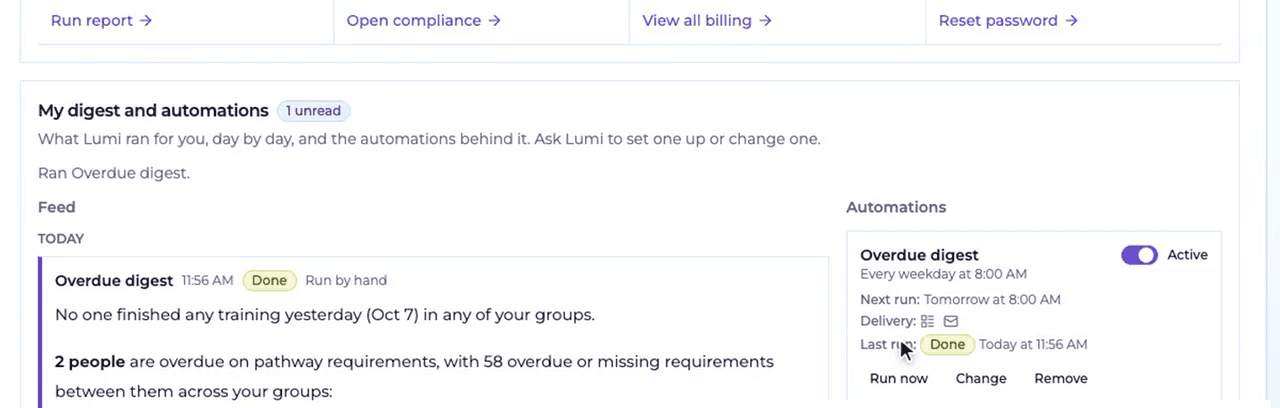
After it runs, the result sits in My digest and automations. You can turn that automation on or off, run it now, change it, or remove it. The same note can also arrive by email.
Questions
Who is Lumi for?
Lumi is the manager assistant. It is in beta. It reads the groups that manager is responsible for.
Will Lumi change a record on its own?
No. When Lumi is about to add a learner, assign a course, create a group, move learners, or save an automation, it shows a card and waits until you press the button.
Are the people in the demo real?
No. The organization, staff names, and email addresses in the video and screenshots are fictional demo data.
Four separate products
Direct Care Chat
A Pro feature for staff inside the learning system. They ask a practice, policy, or procedure question and get an answer grounded in the trainings they completed.
Compliance Pathways
Requirement checklists in the TES catalog. Each staff member has due dates, renewals, and the courses mapped to those requirements.
LumiBeta
The manager assistant. Lumi reads the groups you manage and waits for your OK before it changes a record.
RegAI
A standalone regulatory research tool. It scans state rule and agency updates and drafts the monthly regulation digest for an editor to review.